EchoSubs is best for small teams and creators who need to turn existing videos into clean, re-captionable, or localised versions without uploading footage. Typical workflows: localisation teams removing burned-in subtitles before adding new-language captions; agencies and in-house teams processing NDA-protected client video; course creators batch-cleaning dozens of lessons; and educators converting PPT/PDF slide decks into narrated MP4 lessons. The expected result is a subtitle-free or narrated video saved next to the original, processed entirely on your own Mac or Windows PC. It is not the right fit for one-off clips a free web tool can handle, real-time cloud API workflows, or live transcription.
高吞吐內容處理
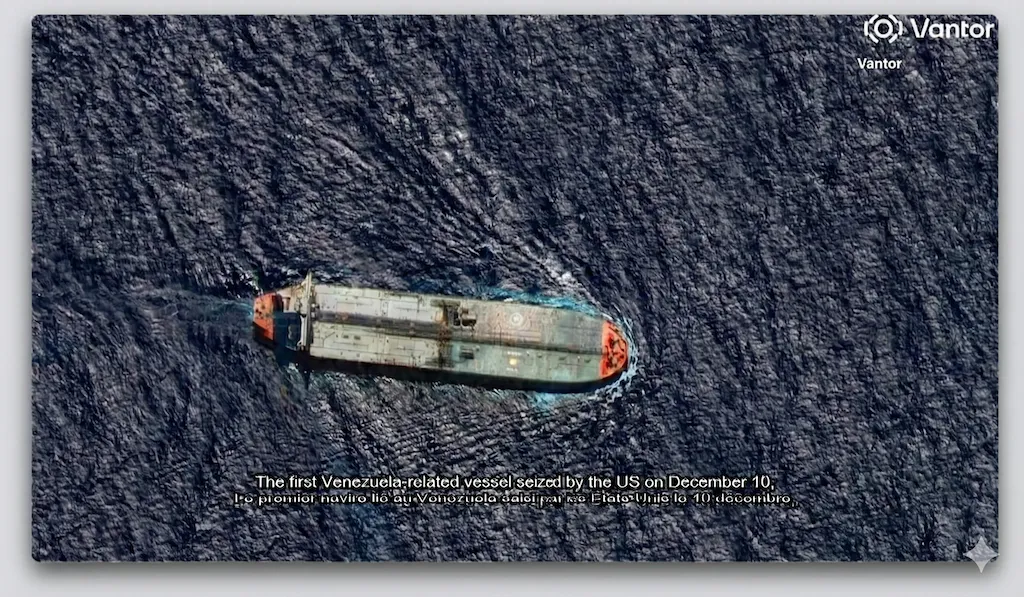
全球影片內容在地化
一套專為可重複、高吞吐量工作流程所設計的內容處理系統。可清除影片中的硬編碼字幕,將 PPT 或 PDF 投影片轉換為配音影片,並透過 Refine Skills 在規模化處理下維持字幕的準確性與一致性。
✓ 支援規模化部署的內容處理流程✓ 內容結果精修能力✓ 高吞吐量

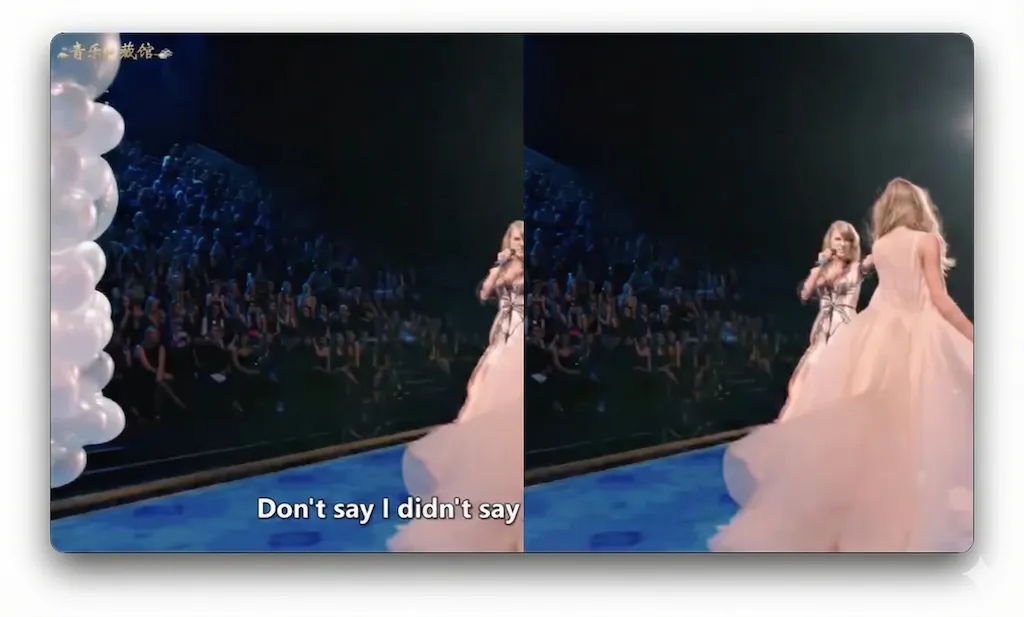
去字幕後
去字幕前
What is EchoSubs?
A desktop AI app for subtitle removal, captions, and slide-to-video — all offline.
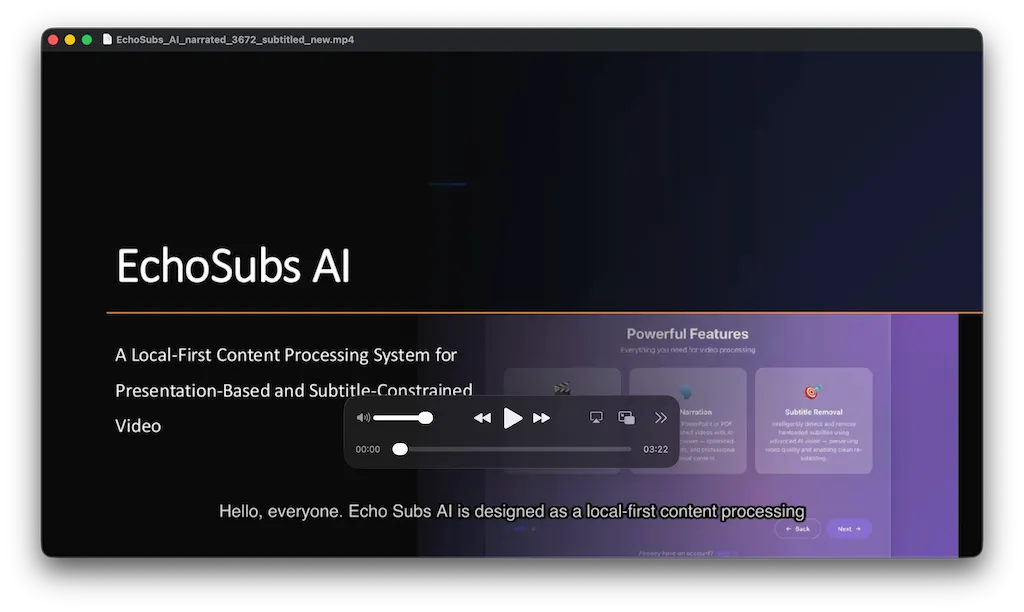
EchoSubs is a desktop AI application for macOS and Windows that removes hardcoded subtitles from videos using local AI inpainting, generates accurate captions in 60+ languages, and converts PPT/PDF presentations into narrated videos — all running 100% offline on your machine.
- Platforms
- macOS 12+, Windows 10+
- Processing
- 100% offline, no upload
- Pricing
- From $5.99/mo or $69 lifetime
- Trial
- Free with watermark
- Languages
- 6 UI / 60+ subtitle
- Licence
- One-time lifetime available
Who should use EchoSubs? Best for small teams and creators that need to turn existing videos into clean, localised, or narrated versions without uploading footage to a cloud service.
Use case fit: best for
- Localisation teams that need to remove burned-in subtitles and re-caption videos in 60+ languages without re-shooting or re-editing
- Agencies and in-house teams processing NDA-protected or client-confidential video that cannot be uploaded to cloud SaaS
- Creators and course publishers batch-cleaning dozens to hundreds of videos in one local queue
- Educators converting PPT/PDF slide decks into narrated MP4 lessons
- Organisations under GDPR or data-residency constraints that rule out cloud processing
Not ideal for
- One-off subtitle removal where a free online tool is sufficient
- Workflows that need a real-time cloud API — EchoSubs is a desktop app, not a SaaS endpoint
- Live transcription — EchoSubs is built for post-production
Security & Privacy
Your videos never leave your machine.
EchoSubs is a desktop application — not a SaaS. Every operation, from subtitle detection to AI inpainting to PPT-to-video rendering, executes on your local CPU/GPU. There is no cloud upload path at all, even as an opt-in. That makes EchoSubs the only realistic option for NDA-protected, client-confidential, or regulated video work.
100% offline processing
Every frame of inpainting, every audio transcription, every TTS render runs on your CPU/GPU. Internet is only used to validate your licence.
Zero cloud upload
Source files never leave your filesystem. There is no S3 bucket, no temp-upload endpoint, no opt-in cloud mode — by design.
No telemetry on content
EchoSubs does not log filenames, durations, frame contents, audio tracks, or transcripts. Anonymous app metrics (crash, version) can be disabled.
GDPR-friendly by architecture
Because videos and subtitles never traverse our servers, EchoSubs has no controller/processor role over your content. Self-contained workflow, no DPA needed.
Technical details: Licence activation uses RSA-2048; the macOS build is notarised and runs under Hardened Runtime; the Windows build is code-signed. Source code for the local processing pipeline can be reviewed under NDA for enterprise customers — contact us for a security questionnaire.
Alternatives & Comparison
How EchoSubs compares to Veed.io, CapCut, and GiliSoft.
A quick scan of where EchoSubs wins, where it ties, and where another tool may serve you better. We try to be honest about the trade-offs — there are workflows where a free online tool genuinely is the right call.
| Attribute | EchoSubs | Veed.io | CapCut | GiliSoft |
|---|---|---|---|---|
| Starting price | $5.99/mo or $69 one-time | Subscription only | Free + subscription | One-time licence |
| Platform / compatibility | macOS + Windows | Any browser | Desktop + mobile | Windows only |
| Setup effort | ~5-min install | No install | App install | App install |
| Runs 100% offline | ||||
| AI inpainting (no blur) | ||||
| Lossless passthrough encoding | ||||
| PPT/PDF → narrated video | ||||
| Batch (folder) processing | ||||
| One-time purchase option | ||||
| No watermark on free trial |
Pick EchoSubs if…
You handle NDA-protected, client-confidential, or regulated video, run batches of 10+ files at a time, or need PPT/PDF → narrated MP4 in the same tool.
Pick Veed.io or CapCut if…
You need to clean up one or two short videos a year, the content isn't sensitive, and you'd rather not install desktop software. Here EchoSubs loses on convenience — it needs a ~5-minute install and a licence, while Veed.io and CapCut run free in a browser and add a timeline editor, transitions, and social templates EchoSubs deliberately doesn't.
Pick GiliSoft if…
You're on Windows-only and already own a GiliSoft licence — quality is decent but it re-encodes every video, costing more time and quality than EchoSubs' lossless pipeline.
Where EchoSubs loses — honestly
EchoSubs is a subtitle-removal, inpainting, and narration engine, not a full video editor. For a single 30-second clip you'll never touch again, installing a desktop app and buying a licence is overkill — Veed.io or CapCut clean it in the browser for free. It has no timeline editor, transitions, or ready-made social templates like CapCut, and no browser access from a Chromebook or phone like Veed.io. It is Windows and macOS only, so Linux users are unsupported. GiliSoft matches its one-time pricing on Windows, but re-encodes every export, which costs more time and quality than EchoSubs' lossless passthrough. Choose EchoSubs when privacy, batch volume, and output quality matter more than in-browser convenience.
Integrations & Compatibility
Which tools, platforms, and file formats does EchoSubs work with?
EchoSubs works with MP4, MKV, MOV, AVI, WebM, and FLV video, SRT/VTT subtitle files, and PPT/PDF presentations on macOS and Windows. It does not currently support a cloud API, a command-line interface, Zapier or webhooks, Linux, or editing-suite plugins — the workflow is local file in, local file out, so your footage never passes through a third-party server.
Works with
- Video formats
- MP4, MKV, MOV, AVI, WebM, FLV
- Subtitle files
- SRT and VTT (import for translation or as a reference)
- Presentations
- PPT/PPTX and PDF → narrated MP4
- Operating systems
- macOS 12+ and Windows 10+
- GPU acceleration
- Apple Silicon (M1/M2/M3) and NVIDIA GPUs; CPU fallback
Does not currently support
- Cloud API
- No REST API or hosted endpoint — processing is local only
- Command line
- No command-line interface — jobs run from the desktop app
- No-code automation
- No Zapier, Make, or webhook integrations
- Platforms
- No Linux, browser, or mobile version
- Editing suites
- No plugin for Premiere Pro, Final Cut, or DaVinci Resolve — export the file and import it
Proof
Real videos, processed locally, on real hardware.
EchoSubs ships a working product, not a waitlist. Below are the only numbers we publish — we'd rather under-state and back the claim with the actual binary than oversell.
98.5%
Subtitle detection accuracy
Measured on the internal benchmark set of 200 mixed-language clips.
~2.3 min
Average per 1080p video
On Apple M2 / RTX 3060-class hardware; CPU-only is 3–4× slower.
10×
Faster than cloud tools
No upload, no queue, no re-encode — measured against Veed and Vmake on the same 5-minute 1080p clip.
Customer stories
We publish customer case studies only with written, on-the-record permission. If EchoSubs has saved your team meaningful hours and you'd be open to a short quote, please get in touch — we'd love to credit you here.
Onboarding & Setup
Onboarding: get your first cleaned video in under 5 minutes.
Setup takes about 5 minutes; it requires a macOS 12+ or Windows 10+ computer and a video file — no account, no cloud upload, no waiting in a queue. Your first result is a subtitle-free copy of your video saved next to the original. Here's the entire onboarding flow:
- 1
Download EchoSubs
macOS .dmg or Windows installer. No account required for the trial.
60 sec
- 2
Drag your video into the app
Drop a single file or an entire folder. Supports MP4, MKV, MOV, AVI, WebM, FLV, and more.
30 sec
- 3
Let AI suggest detection parameters
EchoSubs auto-detects the subtitle region, guesses the spoken language, and recommends an inpainting model. Accept the defaults or tweak any of them.
~5 sec, automatic
- 4
Click Remove (or Generate, or Convert)
Processing runs on your local GPU. A 5-minute 1080p video takes about 2–3 minutes on M2 / RTX 3060-class hardware.
3–5 min
Time to first result: ~5 minutes. You'll see the cleaned video appear in the same folder as the original. No account needed for the trial.
Frequently asked
The questions buyers ask before they commit.
Use-case fit, security, price, migration, integrations, onboarding time, trial limits, offline capability, hardware. Direct answers — no jargon, no upsell.
EchoSubs runs 100% offline on your local machine — videos are never uploaded to any server, including ours. There is no cloud processing mode, even as an opt-in. The app uses the internet only to validate your licence; subtitle detection, AI inpainting, transcription, and TTS all execute on your CPU/GPU. This makes EchoSubs safe for NDA-protected, client-confidential, and regulated workflows where cloud SaaS is not an option.
EchoSubs has three buying options: Pro at $5.99/month (monthly subscription), Biz at $79/month (team subscription), and a one-time Lifetime licence at $69 (no subscription, includes lifetime updates). A free trial is available with watermarked output for subtitle generation; subtitle removal and PPT/PDF-to-video require a paid licence.
There is no project file to migrate — EchoSubs works directly on your source video files. Drop your original MP4/MKV/MOV/AVI/WebM/FLV into the app and it processes them with the same AI workflow regardless of which tool you previously used. SRT or VTT caption files you already have can be loaded as a starting point for translation or as a reference for inpainting masks.
EchoSubs works with MP4, MKV, MOV, AVI, WebM, and FLV video, SRT and VTT subtitle files, and PPT/PDF presentations, on macOS 12+ and Windows 10+ with Apple Silicon or NVIDIA GPU acceleration (CPU fallback supported). It does not currently support a REST API, a command-line interface, Zapier, webhooks, Linux, browser or mobile use, or editing-suite plugins. EchoSubs is a desktop application: the workflow is local-file in, local-file out, because every cloud integration would require routing content through a third-party server, which contradicts the offline-only architecture.
Setup takes about five minutes; it requires a macOS 12+ or Windows 10+ computer and a video file, and no account is needed for the trial. The first result is a cleaned video saved next to the original. Step one: download the installer (~60 seconds). Step two: drag your video file into the app (~30 seconds). Step three: accept the AI-suggested detection parameters or tweak them (~5 seconds). Step four: click Remove and let the local GPU work (~3-5 minutes for a 5-minute 1080p clip). No account or sign-up is required to start the trial.
Yes. The subtitle generation feature runs in trial mode without a licence — the output carries a small watermark, useful for evaluating accuracy and language coverage before purchase. Subtitle removal and PPT/PDF-to-video features require a paid licence to run end-to-end. There is no time limit on the trial; you can keep evaluating the watermarked workflow as long as you want.
EchoSubs works fully offline once you have activated your licence. After the one-time online activation step, you can disconnect from the internet entirely and continue processing videos indefinitely — the AI inpainting models, transcription models, and TTS voices are all bundled with the app and run on your local hardware. Periodic licence re-validation happens silently in the background when the internet is available, but never blocks active processing.
EchoSubs runs on any macOS 12+ or Windows 10+ machine, but speed is GPU-bound. On Apple M1/M2/M3 or an NVIDIA RTX 3060-class or better GPU, a 5-minute 1080p video processes in about 2 to 3 minutes. CPU-only machines work too, but are 3 to 4 times slower for the AI inpainting step. There is no minimum RAM requirement beyond what the OS itself needs — the app streams frames rather than loading the whole video into memory.
View 內容結果精修能力 (Skills)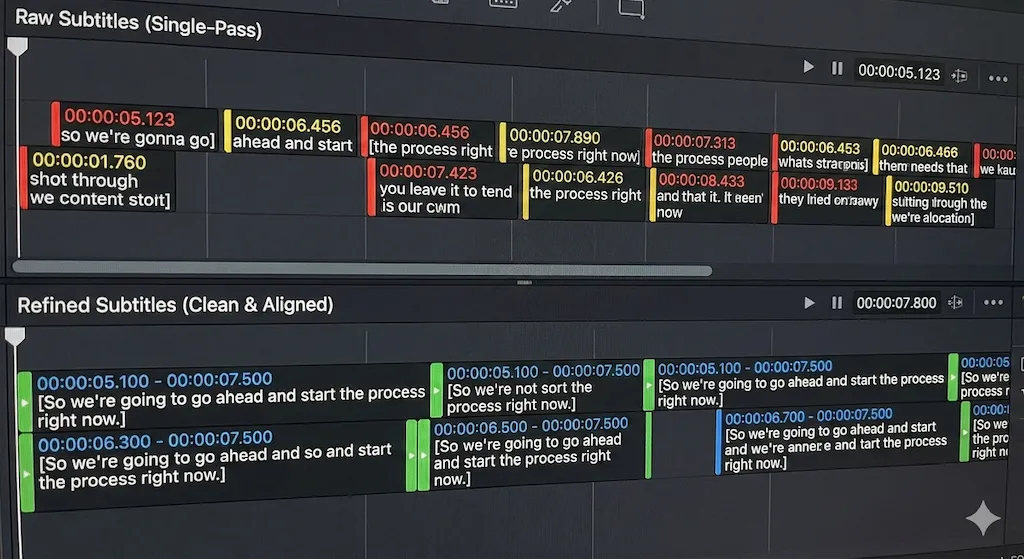
🌍
內容結果精修能力 (Skills)
超越單次轉錄。Refine Skills 應用結構化後處理來改善時間對齊、句子邊界和一致性 —— 在長影片內容中保持字幕品質。
為每位創作者打造的方案
月付年付(節省 29%)
免費版
$0/月
- ✓ 每月 30 分鐘字幕時長
- ✓ 基礎背景主題與語音庫
- ✗ 輸出含浮水印
- ✗ 無 AI 翻譯或字幕優化
- ✗ 無 AI 處理
- ✗ 無硬字幕移除功能
終身優惠
標準版
$69/終身
- ✓ 每月 5 小時字幕時長
- ✓ 基礎背景主題與語音庫
- ✓ 無浮水印輸出
- ✓ 硬字幕移除
- ✗ 無 AI 翻譯或字幕優化
- ✗ 無 AI 處理
最受歡迎
專業創作者版
$49/年$169
優惠截至 2026-12-31
- ✓ 每月 30 小時字幕時長
- ✓ 更多背景主題與語音庫
- ✓ 無浮水印輸出
- ✓ 硬字幕移除
- ✓ 內含 3 小時 AI 翻譯/字幕優化
- ✓ 每月 3 小時 AI 處理
商務版
$669/年$948
- ✓ 無限字幕時長
- ✓ 更多背景主題與語音庫
- ✓ 無浮水印輸出
- ✓ 全功能解鎖
- ✓ 內含 15 小時 AI 翻譯/字幕優化
- ✓ 每月 15 小時 AI 處理
🪙 Token 點數包
按量付費的 AI 處理時長包,為你的方案增加額外 AI 生成時間。
迷你包
$9
2 小時 AI
標準包
$29
10 小時 AI
機構包
$99
50 小時 AI & 20 小時視訊字幕
客戶反饋
給需要更快完成影片工作的團隊使用
以下是創作者、培訓團隊與代理商在日常影片處理工作中的實際回饋。
我主要用 EchoSubs 處理已經帶硬字幕的舊影片。以前常常要重新剪一次,現在可以先清理畫面,再做新的字幕版本。
Maya Chen
YouTube 教學創作者
課程片段硬字幕清理
我們有很多內部培訓 PPT,以前一直放在資料夾裡。現在可以在桌面端轉成配音影片,不需要把公司資料上傳到其他網站。
Daniel Brooks
學習營運經理
離線 PPT 轉影片流程
最明顯的改變是批量處理。晚上把客戶影片排進佇列,隔天早上檢查結果,只把時間花在需要人工處理的片段上。
Sofia Ramirez
在地化製作人
批量字幕處理
我們的願景
本地優先處理
服務全球內容
EchoSubs 的獨特之處
01
本機執行架構
所有處理都在本機上執行。無需雲端上傳、無排隊延遲、無網路依賴。內容控制和營運穩定性內建於架構中。
02
Refine Skills 精準優化
字幕不是一次性輸出。Refine Skills 應用結構化後處理來修復時間漂移、句子邊界和上下文錯誤 —— 對長影片尤為關鍵。
03
吞吐量優先,非時間軸編輯
不是傳統影片編輯器。EchoSubs 將簡報轉影片、字幕移除和在地化作為結構化流水線處理 —— 數小時影片常在幾分鐘內完成。
04
企業級可靠性
確定性、可重複的輸出。GPU 加速處理,跨運行保持一致品質 —— 專為教育工作者、媒體團隊和國際營運打造。
01
本機執行架構
所有處理都在本機上執行。無需雲端上傳、無排隊延遲、無網路依賴。內容控制和營運穩定性內建於架構中。
02
Refine Skills 精準優化
字幕不是一次性輸出。Refine Skills 應用結構化後處理來修復時間漂移、句子邊界和上下文錯誤 —— 對長影片尤為關鍵。
03
吞吐量優先,非時間軸編輯
不是傳統影片編輯器。EchoSubs 將簡報轉影片、字幕移除和在地化作為結構化流水線處理 —— 數小時影片常在幾分鐘內完成。
04
企業級可靠性
確定性、可重複的輸出。GPU 加速處理,跨運行保持一致品質 —— 專為教育工作者、媒體團隊和國際營運打造。
我們正在招募合作夥伴
我們尋求全球經銷商、分銷渠道、內容工作室與整合合作夥伴,一起擴展 EchoSubs 的全球市場。
若你的業務服務創作者、教育機構或企業 —— 歡迎加入我們。
聯絡我們
對企業方案、合作夥伴關係或投資有興趣?
contact@echosubs.com
美國華盛頓州西雅圖
© 2024–2026 Cnnex Limited Company. All rights reserved.