How to Remove Subtitles from Video: The Ultimate 2026 Guide
Discover how to remove subtitles from any video file with zero quality loss. Whether you are dealing with soft embedded tracks or baked-in pixels, this guide walks you through the advanced AI and manual workflows.
Watch: How to Remove Subtitles from Video: The Ultimate 2026 Guide
A 2-minute walkthrough showing how EchoSubs removes hardcoded subtitles in practice — the exact workflow behind How to Remove Subtitles from Video: The Ultimate 2026 Guide. Watch the inpainted output frame-by-frame before you install.
Real-Time AI Subtitle Removal Showcase
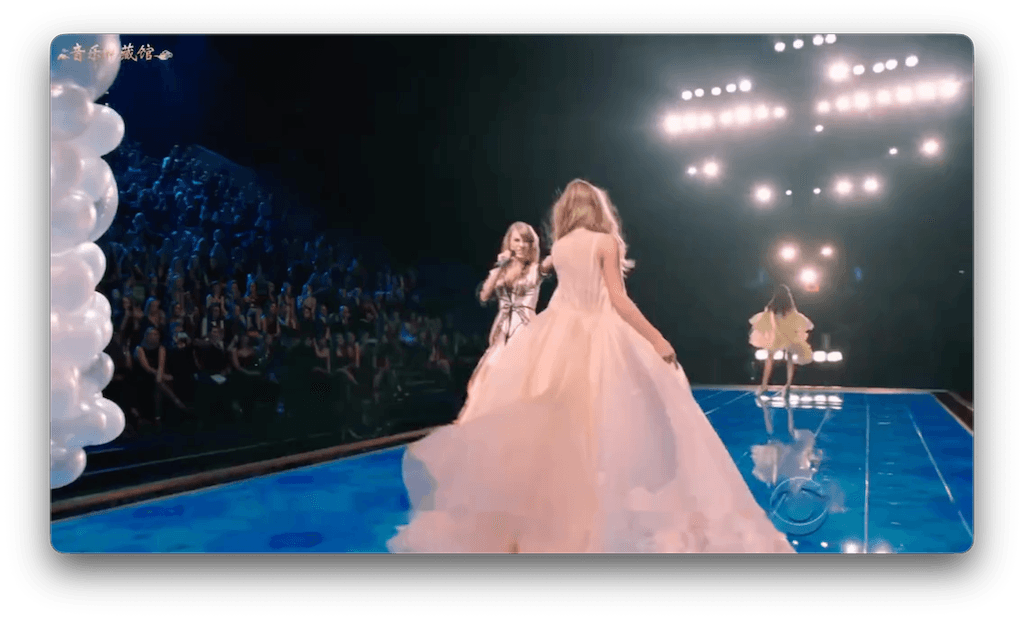
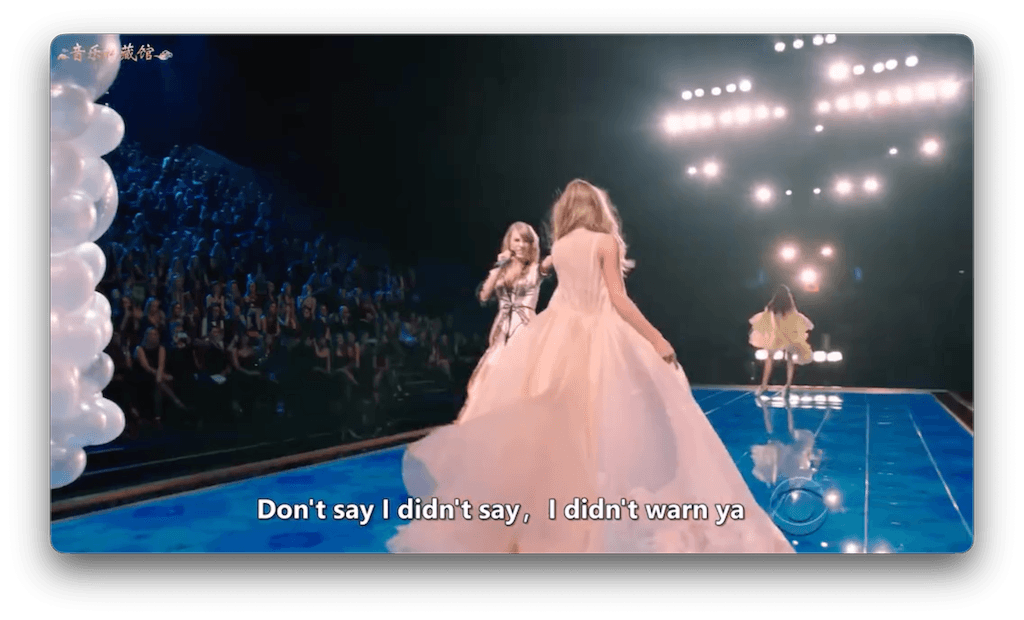
1. Hardcoded vs. Embedded Subtitles: Understanding the Technical Challenge
Before you select a tool to subtitle remove from your video project, you must identify the technical format of the subtitles in your file. Subtitles generally fall into two categories:
Hardcoded (Burned-in) Subtitles
Hardcoded subtitles are embedded directly into the video frames as pixel data. The text is merged with the actual image, much like a watermark. Because they are not stored as text metadata, they cannot be disabled in VLC, QuickTime, or other media players. Removing them requires a generative AI model that can reconstruct the hidden pixels behind the letters.
Embedded (Soft) Subtitles
Soft subtitles exist as an independent text track (typically SRT, VTT, or ASS format) packaged inside the video container (such as MP4, MKV, or MOV files). Because they are metadata streams, you can disable them with a single click in your player. To remove them permanently, you can use a quick demuxer tool or container editor to strip the track in seconds without touching the video pixels.
EchoSubs is uniquely equipped to handle both challenges. While embedded tracks are stripped instantly, our primary breakthrough is our local AI-powered **hardcoded subtitle removal** engine, which reconstructs the video frames where text is burned-in, maintaining a professional visual result.
2. How AI Video Inpainting Works Behind the Scenes
How does an AI reconstruct a video background that has been covered up by text for the entire duration of a movie? The answer lies in a deep learning concept called **temporal video inpainting**.
When EchoSubs processes your video, it doesn't just look at each frame in isolation. If it did, it would have to guess the background, which often leads to blurry patches or distorted images. Instead, the EchoSubs AI model utilizes **temporal consistency tracking**. The algorithm scans forward and backward in time, looking at preceding and succeeding frames. Since the camera and objects in a video are usually moving, the pixels that are covered by subtitles in frame 10 might be fully visible in frame 5 or frame 15.
By aligning these frames in high-speed GPU memory, the AI extracts the actual background pixels from the surrounding frames and mathematically wraps them back into the masked region. For sections of the video where the background remains completely static, the AI uses a spatial inpainting network (based on LaMa architectures) to predict textures, edges, and lighting, filling in the gaps with clean, high-resolution detail.
3. Why Local Desktop Software Beats Online Cloud SaaS Tools
Many web services offer online subtitle removal, but they suffer from major structural limitations. Understanding why a local desktop client outperforms cloud platforms is crucial for professional workflows:
- File Size & Duration Limits: Cloud SaaS tools restrict you to small file uploads (usually under 100MB or 5 minutes) unless you pay high monthly subscriptions. EchoSubs runs locally, allowing you to load 10GB 4K videos without any file limits.
- Bandwidth Bottlenecks: Uploading large video files to online servers and downloading the finalized output takes massive bandwidth. EchoSubs reads and writes files directly from your local SSD, starting the process instantly.
- Data Privacy & Confidentiality: Many companies are legally forbidden from uploading internal training videos, product presentations, or confidential recordings to third-party web servers. EchoSubs executes entirely offline, ensuring no proprietary data ever leaves your computer.
- Processing Speed: By harnessing your local GPU (NVIDIA Tensor Cores or Apple Silicon Neural Engine), EchoSubs bypasses server queues and processes video frames 10x faster than cloud VMs shared by thousands of users.
4. EchoSubs vs. Other Methods: A Detailed Comparison
Let's look at how local AI video inpainting compares to traditional subtitle removal techniques:
| Method | Quality Outcome | Processing Speed | Pros/Cons |
|---|---|---|---|
| AI Inpainting (EchoSubs) | Excellent (85-95% visual recovery) | Fast (Local GPU-powered) | Cleans text and restores background automatically. Requires desktop install. |
| Manual Mask Blurring | Poor (Leaves blurry blotch) | Slow (Requires manual tracking) | Easy to do in basic editors, but looks highly unprofessional and distracting. |
| Video Cropping | Terrible (Loses 15% of frame) | Instant | Destroys director's framing, composition, and video aspect ratios. |
5. Step-by-Step: How to Remove Hardcoded Subtitles Offline
Using EchoSubs to clean your video clips is simple and can be done in four basic steps:
- Import the Video: Drag and drop your MP4, MKV, or MOV file into the EchoSubs workspace.
- Select the Bounding Box Mask: Draw a rectangle over the subtitle area. You can adjust the coordinates slide-by-slide or apply it globally to the bottom portion of the frame.
- Configure AI Model: Choose the local AI model parameters based on your hardware capabilities (NVIDIA RTX cards or Apple Silicon recommended for maximum throughput).
- Process and Save: Click the process button. The AI will reconstruct the video and output a clean file directly to your desktop.
6. What to Expect: Setting Realistic Quality Benchmarks
We believe in setting honest expectations for our users. AI inpainting is generative, which means it estimates the missing pixels. Here is what you should expect based on the type of video background you have:
- Static & Simple Backgrounds (90% - 98% Quality)For interview videos with out-of-focus backgrounds, flat surfaces, floors, walls, or sky, the AI inpainting is practically invisible. The reconstructed frame looks completely natural.
- Complex Patterns & High Motion (80% - 90% Quality)If subtitles overlay complex patterns, moving crowds, or highly detailed water reflections, the AI will fill in the area with plausible textures. While close inspection may reveal minor soft patches, the result is significantly better than a harsh blur filter.
Frequently Asked Questions
Own Your AI Video Production Tool Today
Stop paying recurring monthly fees and uploading sensitive video files to public cloud servers. Download EchoSubs Desktop and harness local GPU acceleration to clean subtitles with maximum privacy.